Canon EOS R8 photo booth software for Mac
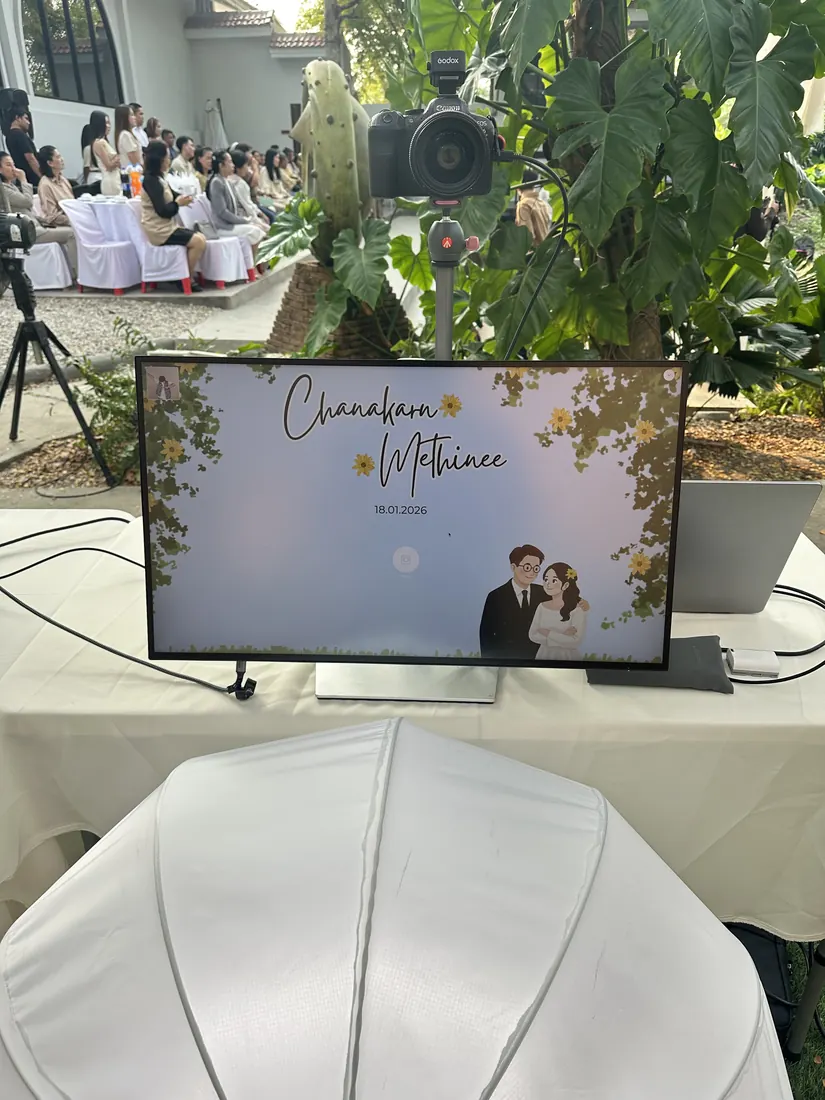
The EOS R8 is a full-frame camera in a small, light body, which makes it easy to mount above a guest screen. Easyday Booth controls it over a single USB-C cable using Canon's official SDK: live view on the guest screen, capture from the app, and the camera's own shutter button in photographer mode.
What we measured
| Test | Result with EOS R8 |
|---|---|
| Live view on the guest screen | About 28 frames per second |
| Shutter button on the camera (photographer mode) | Works, the photo appears on screen |
| Camera rear screen during the session | Stays on |
| RAW + JPEG | RAW stays on the card as a backup; the booth downloads the JPEG only |
Setting up the R8
- Insert a memory card. The booth keeps a copy of every shot on the card, so the card is your backup.
- Set the image quality to JPEG, or RAW + JPEG. Easyday Booth does not change this setting for you.
- Connect the camera to the Mac with a USB-C data cable and turn it on.
- In Easyday Booth, open the Camera page and pick the R8 from the list. Live view appears straight away.
- Take a test shot from the same page before guests arrive.
What the booth watches for
- RAW only: warns you as soon as the camera connects, because the booth needs a JPEG.
- Card space: shows roughly how many shots are left on the card, with a warning when it gets low.
- Cable unplugged: staff see a camera warning, and the booth reconnects when the cable is back.
- Camera not found at the start of an event: the booth opens on the Mac's webcam instead and tells you, so you are never stuck with a blank screen.
Easyday Booth never deletes or formats anything on your memory card.
Questions
Can I use the shutter button on the EOS R8?
Yes. In photographer mode you shoot with the camera's own shutter button and each photo appears on the guest screen.
Does Easyday Booth delete photos from my memory card?
No. It never deletes or formats anything on the card. Every shot stays on the card as a backup.
Do I need Canon EOS Utility?
No. Easyday Booth talks to the camera directly. Close EOS Utility and other camera apps first, because only one app can control the camera at a time.
Which cable should I use?
A USB-C data cable. Some USB-C cables only carry power; if the camera doesn't appear in the list, try another cable.
Want to run your R8 with Easyday Booth?
Join the waitlist and we'll email you when the free trial is ready.