DNP DS-RX1HS photo booth printing on Mac: 4x6 and 2x6 strips
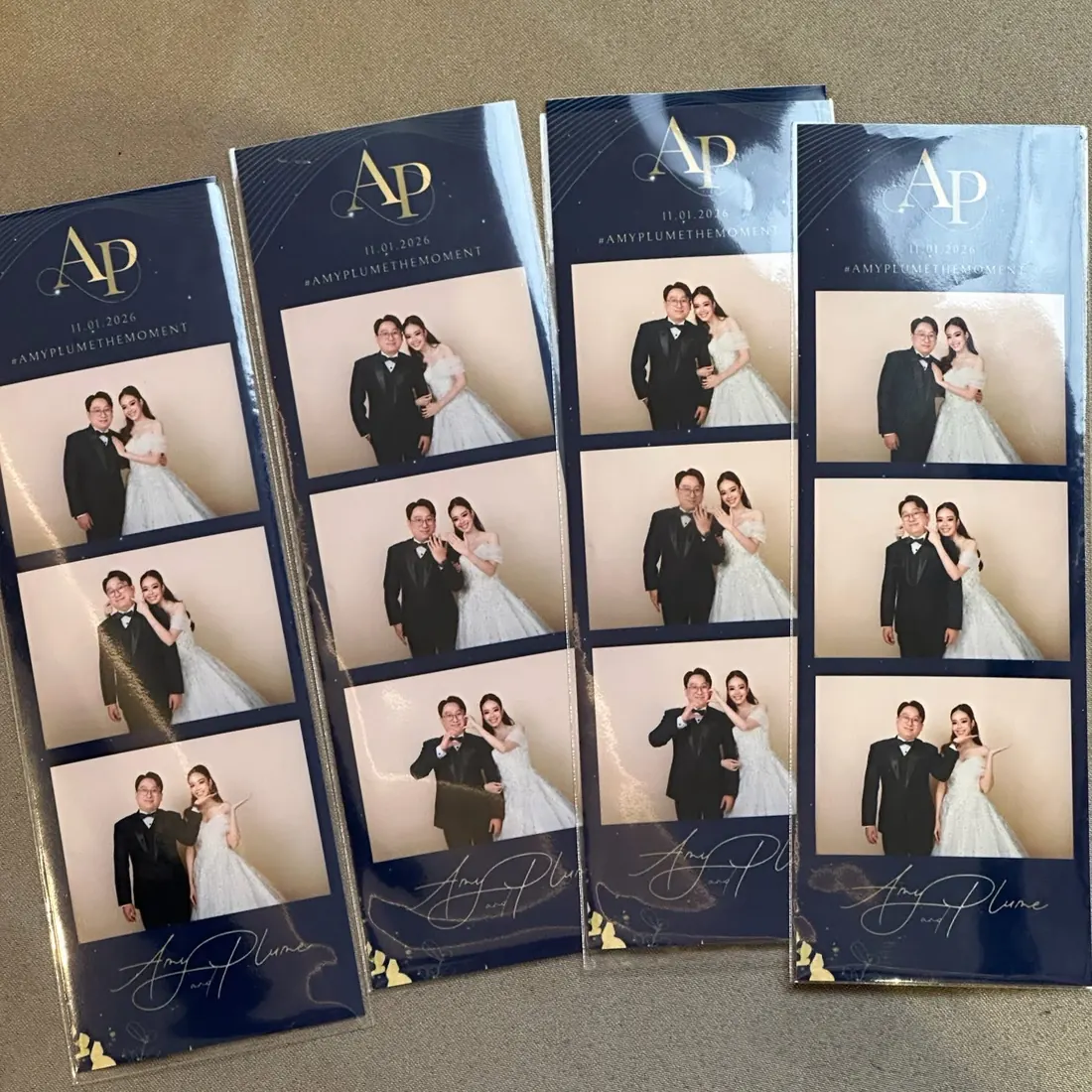
The DNP DS-RX1HS is the dye-sub printer we use at our own events. Easyday Booth prints to it through DNP's official macOS driver, so you install the driver once and the booth handles paper size, cutting, queueing and errors.
Print sizes
| Frame | What prints | Counted as |
|---|---|---|
| 4x6 | One 4x6 photo per sheet | 1 sheet |
| 2x6 strip | Two copies of the strip side by side on one 4x6 sheet, cut in half by the printer | 1 sheet = 2 strips |
| 2x6 strip, single | One strip on a 4x6 sheet, no cut (optional per frame) | 1 sheet |
Guests only ever see "photos" on screen. Behind the scenes the queue counts sheets, so your print limits per session and per event stay accurate.
When something goes wrong
- Cover open, paper or ribbon out, paper jam: a clear warning appears on the staff screen. Jobs wait in the queue and print by themselves once the printer is ready again.
- App or Mac restarts mid-queue: the print queue is saved on disk; it continues with the sheets that haven't printed yet.
- Slow driver response: before sending a sheet again, the booth checks whether macOS already accepted it, so a timeout doesn't turn into a duplicate print.
In our tests the DS-RX1HS delivered each sheet roughly nine seconds after it was sent.
Sharp prints without sharpening your frame
Easyday Booth builds every print from the original camera files at high resolution, then sharpens the photo areas only. Your frame artwork, logos and text are left exactly as designed. You can choose the sharpening level and 300 × 300 or 300 × 600 dpi output, and print a test sheet that shows several sharpening levels side by side.
Setting up
- Install DNP's macOS printer driver for the DS-RX1HS and connect the printer by USB. We recommend plugging it into the Mac directly rather than through a monitor or hub.
- In Easyday Booth, open Print settings and choose the DNP printer.
- Print a calibration sheet and nudge the print position if needed. This setting belongs to that Mac and printer, not to an event.
Questions
Do I need DNP's driver?
Yes. Install DNP's official macOS driver for the DS-RX1HS. Easyday Booth sends prints through it, including the 2-inch cut for strips.
Can I print 2x6 photo strips?
Yes. Design one 2-inch strip; the booth places two copies on a 4x6 sheet and the printer cuts it in half, so one sheet gives two strips.
What happens if the paper runs out during an event?
The staff screen shows a warning and new prints wait in the queue. Reload the printer and the waiting prints come out by themselves, with none lost and none printed twice.
Can guests print more copies later?
Yes, from the booth gallery or the iPad station, within the limits you set per session and per event.
Printing with a DS-RX1HS?
Join the waitlist and we'll email you when the free trial is ready.